Setting Up an Ergonomic Desk: What to Know Before Buying Setup Gear
Home offices and corporate workspaces are filled with standing desks, monitor arms, and task chairs. While many professionals take ergonomics seriously, too many workspace products on the market are poorly engineered, difficult to adjust, and structurally weak. When desk gear cuts corners, it’s remote workers, creators, and office staff who pay the price in physical strain.
Ergonomic discomfort isn’t bad luck—it’s a failure of ergonomics. When buyers choose fixed-height desks, ignore monitor arm weight limits, or buy unsupportive seating, fatigue becomes inevitable. Wrist pain, lower back strain, and neck stiffness don’t just “happen.” They happen because someone didn’t evaluate gear properly before buying.
Many buyers feel overwhelmed by choices. They worry about buying flimsy standing desks, incompatible monitor mounts, or chairs that lack proper lumbar support. Others buy budget gear repeatedly—only to experience rapid wear. Gear brands often rely on trendy marketing and minimal adjustments to sell sub-par products.
Ergonomic standards are clear: workspace equipment must adapt to the user’s physical body. When products fail to deliver ergonomics, posture suffers. Ergonomic principles exist to protect body alignment—and to keep manufacturers accountable for physical usability.
Ergonomics in Modern Workspace Gear
Ergonomic design is the balance of adjustability, load stability, and physical alignment across long working hours. In office setups, this responsibility rests on mechanical movement ranges and structural stability.
Ergonomic Adjustability vs. User Posture
Gear manufacturers are responsible for:
- Accommodating sitting and standing elbow heights
- Providing smooth motor adjustments
- Ensuring screen positioning matches eye level
- Supporting neutral spine alignment
Users must set up gear correctly—but equipment cannot support healthy posture if its movement range is severely restricted.
Standing Desks vs. Ergonomic Accessories
Ergonomic issues most often arise in core components, such as:
- Motorized desk frames
- Monitor arm joints
- Task chair lumbar mechanisms
- Keyboard tray mechanisms
- Cable management trays
Even with a high-end chair, users may still suffer strain if monitors sit too low on factory stands.
Why Adjustability Matters Legally and Physically
The key design question is range. If a desk or chair cannot adjust to fit a user’s height profile, it causes repetitive physical stress over time. Quality control dictates long-term utility.
Common Examples of Workspace Gear Negligence
Single-Motor Standing Desks
Single-motor designs struggle under heavy monitor setups, causing wobbles, uneven lifting, and early motor failure.
Limited VESA Monitor Arm Compatibility
Fixed or weak monitor arms sag under heavy displays, pulling screens out of ergonomic sight lines.
Non-Adjustable Chair Lumbar Supports
Rigid plastic lumbar pads force the lower back into awkward angles without relieving spinal pressure.
Flimsy Desktop Surfaces
Particle board desktops sag under heavy clamp-on monitor mounts over months of use.
Missing Cable Management Channels
Exposed cords snag during desk height adjustments, presenting safety and equipment hazard risks.
Poor Armrest Motion Ranges
Chairs with fixed 1D armrests force shoulders into elevated, strained positions during typing.
Inadequate Weight Capacities
Under-rated standing desk frames shake excessively when raised to standing heights.
Hard, Non-Breathable Seating Materials
Low-density foam and synthetic seat fabrics trap heat and wear down quickly.
Who Is Protected Under SearchNShop Buying Guidelines?
Full-Time Remote Professionals
Desk workers require robust posture support during 8+ hour work sessions.
Content Creators and Editors
Designers and video editors using multi-monitor setups need reliable mount stability.
Software Developers
Engineers require fast height transitions between sitting and standing workflows.
Casual Home Office Users
Everyday computer users benefit from core posture alignment tools.
What to Do Before Buying Workspace Gear
Measure Desk Clearance and Room Height
Your comfort comes first. Check physical clearance and ceiling height before purchasing standing desks.
Calculate Total Equipment Weight
Determine the total weight of your monitors, PC, and desk accessories to select proper motor and arm capacities.
Verify VESA Compatibility
Check screen mounting patterns (75x75mm or 100x100mm) before ordering monitor arms.
Test Adjustment Ranges
Ensure chair seat heights, armrests, and desk elevation ranges match your exact body height.
Check Frame Warranty Terms
Verify multi-year warranties on motor components and structural steel frames.
Avoid Cheap Single-Motor Desks
Don't sacrifice long-term stability for lower upfront pricing on heavy equipment setups.
Consult SearchNShop Buying Guides Promptly
Early research helps:
- Prevent buying incompatible components
- Identify sturdy dual-motor options
- Ensure true ergonomic support
- Optimize overall setup budget
Comparative Evaluation in Workspace Design
Workspace shopping follows a comparative evaluation system, where motor quality, steel gauge, and adjustment options are balanced against total price.
Retailers often promote flashy aesthetic desks. These sales claims are negotiable—and beatable. Even on a budget, you can build an ergonomic workspace. Manufacturers don't get a pass just because a desk looks minimalist.
Marketing Tactics Used to Overcharge
Common tactics include:
- Marketing basic office chairs as "ergonomic"
- Omitting frame weight limits
- Hiding single-motor limitations
Manufacturer Responsibility for Workspace Stability
Duty to Provide Durable Gear
Brands must provide clear weight capacities and adjustment specifications for all desk components. This includes:
- Tested motor lift limits
- Clear VESA pattern sizing
- Smooth height transition speeds
- Sturdy structural frame crossbars
Products That Trigger Disappointment
Consumers should avoid products with:
- Wobbly desk legs at standing height
- Sagging monitor arm joints
- Short motor warranty periods
- Non-adjustable chair components
Prior Product Performance
Brand reputation matters. If desk motors have high return rates, buyers should evaluate alternatives.
Value Available in Ergonomic Desk Setup Purchases
Posture Alignment and Strain Relief
This includes:
- Reduced neck flexation
- Lower back strain prevention
- Neutral wrist alignment
- Shoulder tension reduction
Productivity and Energy Improvement
Alternating between sitting and standing keeps circulation active throughout long workdays.
Equipment Protection and Space Optimization
Sturdy monitor arms elevate screens to clear valuable desktop real estate.
Products Worth Considering
Once you know which features matter to you, comparing a few specific products can make the decision more concrete. The following options are drawn directly from the SearchNShop product catalog:
- Ergotron LX Desk Monitor Arm — review the current product details, price, and availability on SearchNShop.
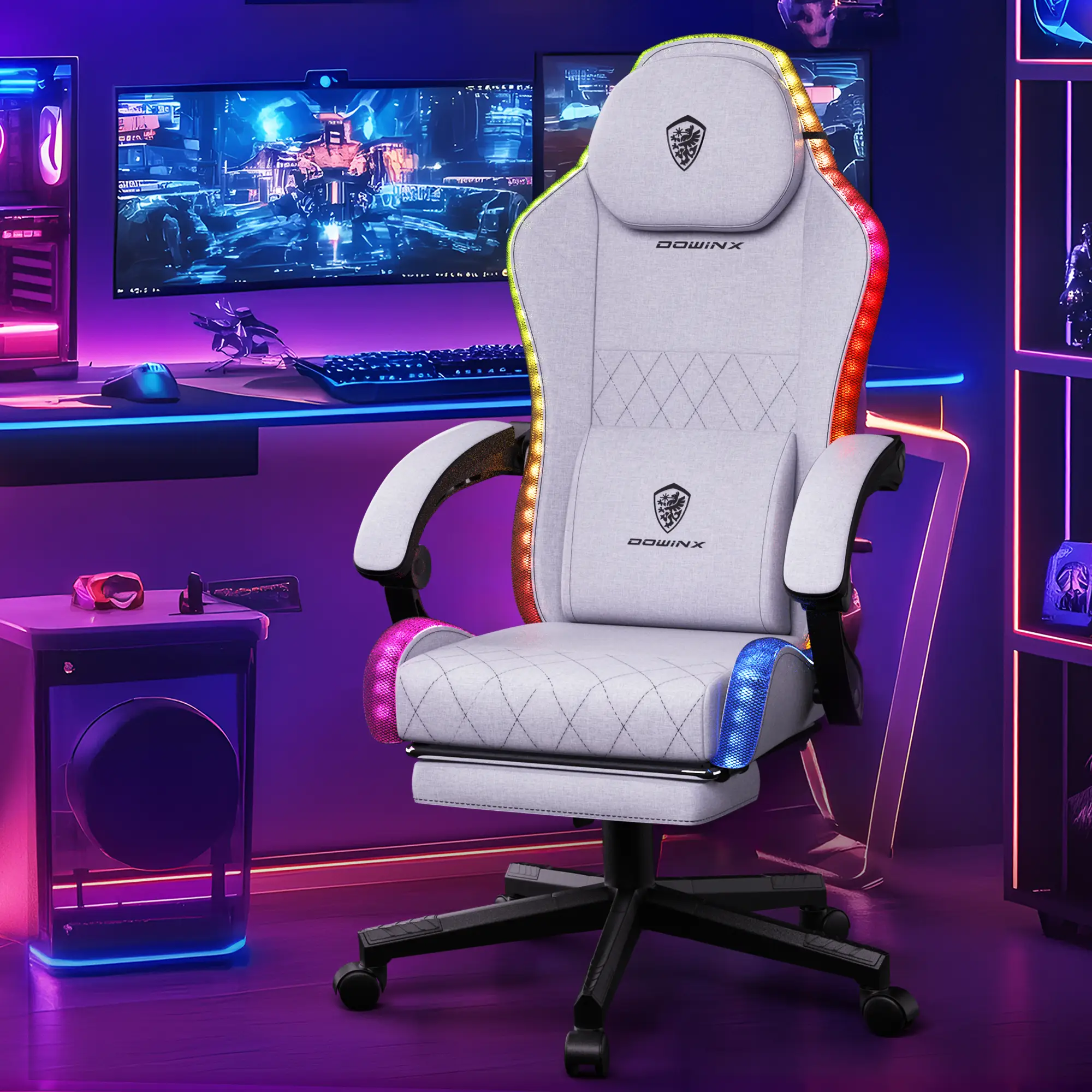
- Dowinx Gaming Chair with RGB Lighting — review the current product details, price, and availability on SearchNShop.
Ergonomic Support Is a Right—Not a Luxury
No one should suffer chronic back or neck pain simply because a manufacturer chose cheap materials over proper alignment. Safe, ergonomic gear is a necessity—not a luxury. When workspace brands push flimsy equipment, they risk user health.
Workspace discomfort is preventable. Wobbly desks don't become stable on their own. Weak monitor arms don't stop sagging over time. Unsupportive chairs don't magically fix posture. These issues exist because a product lacked engineering care—and brands must be held accountable when gear falls short.
Good research does more than save money. It prevents physical fatigue, exposes poor office designs, and helps fellow professionals work comfortably. Setup quality matters—for your health and your work.
At SearchNShop, we evaluate rigorously—and we don't compromise—because professionals deserve workspaces that support their health.
Contact SearchNShop for Product Recommendations
- 🌐 Website: https://www.searchnshop.com/